Linux Remote download for android 10 (Quince Tart)
APK file LinuxRemote compatible with Android 10How to install APK / APKS / OBB file on Android
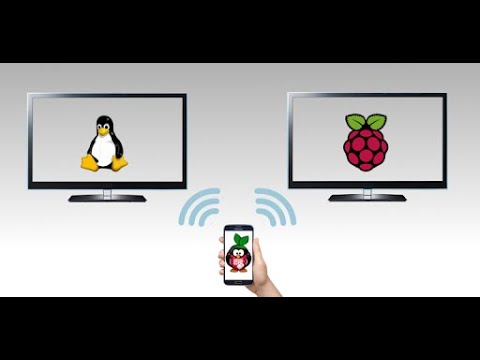

LinuxRemote transforms your mobile phone or tablet into a wireless remote control for your Linux Desktops / Raspberry Pi.
It enables fully simulated mouse and keyboard through your local wireless network.
Advantages of having this app for Raspberry Pi:
• Reduces cost of hardware for keyboard and mouse.
• Free-up the USB ports so that you can use them for other usages.
• Reduces the clumsy look of your Raspberry Pi with less wires connected to it.
Features:
• Touch-Pad with all standard gesture support.
• Fully Functional Keyboard with all Linux standard keys and key combinations.
• Multi lingual key Support.
• Compatible with all flavors of Linux.
• Compatible with all Raspberry Pi models and popular SBCs (Single Board Computer).
• Easy server package installation
• App Auto Discovers the Compatible Hosts
Server Package:
• https://pypi.org/project/linux-remote/
Tested on Linux Flavours:
• Ubuntu
• RHEL
• OpenSuse
• Fedora
• Centos
• Raspbian
• Ubuntu-Mate
Tested on Platforms:
• Raspberry Pi 2, 3B, 3B+ (Raspbian and Ubuntu-Mate)
• Intel i386
• Intel x64
• Amd64
Assumptions and Expectations:
• Onetime internet connection on the Host to install required packages while configuring.
• Wifi Network, where your Mobile and Host are in same LAN.
(Wifi Hotspot is also supported)
• Host should have installed with python(2/3) along with pip(2/3) package.
(Raspberry Pi and most of the Linux distributions comes with pre-installed python and pip packages)
• Requires 'root' or 'sudo' user to configure the LinuxRemote server on the Host machine.
• The 9212 portid is allowed in the Host and LAN Firewall.
Support [kasula.madhusudhan@gmail.com]:
• For any help in setting up your Host or Mobile, please contact us on email.
• Though we tested it thoroughly, we expect some failures as it is our first release, we regret for your inconvenience.
• Please send an email along with the android logcat or crash dump attached.
Privacy Policy: https://www.privacypolicies.com/live/b1629c80-4b9e-4d75-a3f2-a1d6fc8f0cf1
- LicenseFree
- File nameLinuxRemote
- File Version3.10
- Package nameorg.linuxremote.app
- Size4.42 MB
- UploadedJune 9, 2025
- Android5.0 or later
- CategoryTools
- DeveloperMadhusudhan Kasula
- Developer emailkasula.madhusudhan@gmail.com
- md5 hash7c50c2c84a062e5ae4279fefb65a87e1
- Architecturearm64-v8a armeabi-v7a x86_64 x86
- Permissionsshow (7)